




With Diretta, you can connect the Host and Target directly
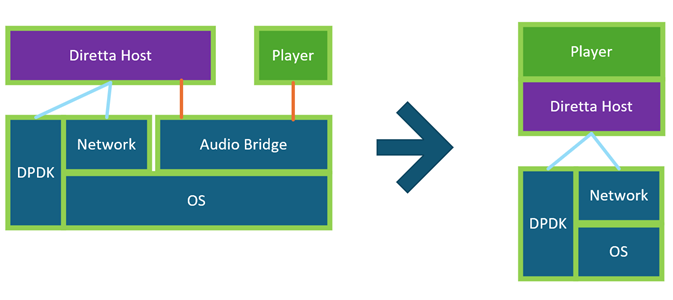
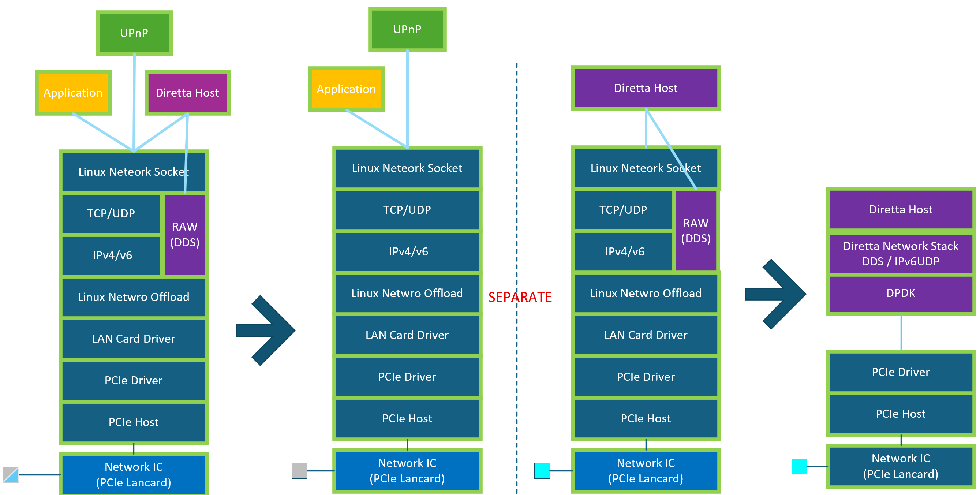
Alta uses DPDK to fully monopolize the Ethernet card
It also does not go through the OS's network stack or network drivers
It is not necessary to use it in conjunction with DDS
Diretta is currently in 4th generation(Gen4)
This can also be effective on 1st generation(Gen1) Target devices
* There are no set specifications for generations
Gen1.0 1st Diretta(first manufacturer products)
Gen1.1 Modern CPU support(second manufacturer products)
Gen2 Reference player MemoryPlay(HostSDK) / Optimiz memory
Gen3 Refactoring data payload (MSmode1/2) / Optimiz thread
Gen4 Driverless with DPDK with HostPC
Gen5 Diretta Direct Stream with DDS MSmode3
Gen5plus Gen5 + Gen4 + Gen2(HostSDK)